Build, manage, and deliver Excel reports — without leaving Excel
Connect data sources, design report templates, configure complex bursting logic, and schedule automated delivery — all from inside the spreadsheet you already work in.
Excel is where your reports live. Why isn't it where you build them?
Your team already thinks in spreadsheets. But getting data into those spreadsheets — formatted, filtered, and delivered to the right people — is a manual process that can consume 70+ hours a week across your team. You export, reformat, copy, paste, and email. Or you write macros that break whenever the source data changes.
The vendor-native export tools you've tried were built to check a box, not to handle the scale and tailored configuration your reporting actually requires.
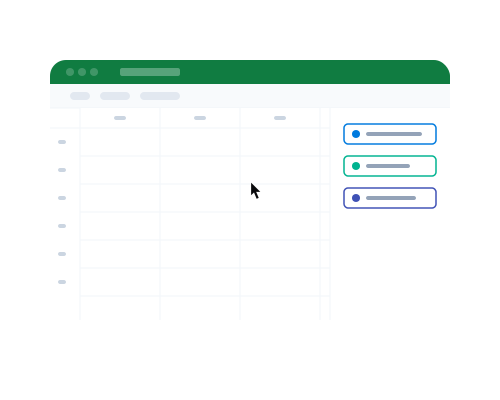
ConnectReport puts your entire reporting workflow into the tool your team already knows.
Key Capabilities
Everything your reporting workflow needs, inside Excel
Complex bursting, natively in Excel
Define dynamic filters or recipients, and ConnectReport generates a unique report for each — different data, same professional formatting. One template, thousands of individualized reports. No recipient caps. No single-value filter limitations.
Connect any data source from inside Excel
Pull from Snowflake, BigQuery, Databricks, Power BI, Qlik Sense, and more — directly in the Excel sidebar. Combine multiple sources in a single report. No separate app. No context switching.
Design templates visually, not programmatically
Business users build and manage report templates without writing code or filing IT tickets. Select fields, set groupings, configure layouts — all point-and-click.
Schedule and deliver automatically
Set your reports to run daily, weekly, monthly — whatever your business needs. Deliver via email or OneDrive. Reports arrive formatted, personalized, and on time.
Reporting operations visibility
See the status of every report as it's generated and delivered. Know what's running, what's complete, what needs attention — without chasing down answers.
How It Works
From data source to delivered report in three steps
Install the add-in
Available for Excel on Windows, Mac and online.
Build your template
Connect to your data sources, select your fields, set formatting and grouping, configure bursting logic. Preview the output right inside Excel.
Schedule delivery
Choose your frequency, define your recipients, and hit go. ConnectReport generates, bursts, and delivers your reports on autopilot.
Results
25% of the Fortune 500 receives reports from ConnectReport
150,000+
Reports in production
1M+
Reports generated and delivered across the platform
10x
Faster report generation compared to previous manual process
70 hrs/wk
Reclaimed from manual reporting in a single deployment
Use Cases
How teams use the Excel add-in
Financial reporting
Pull actuals from your data warehouse, format them into standardized Excel templates, and deliver to department heads weekly. One template, every department.
Regional sales reports
One template, 50 regions. Each manager gets their own filtered report with only their data, delivered every Monday morning.
Client-facing reports
Generate branded, formatted Excel deliverables for each client from a single template. Professional output your clients trust, zero manual work.
Operational reporting
For teams that live in spreadsheets, deliver refreshed data in the format they already use — not a link to a web app they'll never open.
Compliance and regulatory reporting
Standardized templates ensure consistent formatting and data accuracy across every delivery. Scheduled generation and publication means you never miss a deadline.
Integrations
Connects to your data, wherever it lives






Your team already works in Excel. Now their reports can too.
See the ConnectReport Excel add-in in action. We'll walk through your reporting workflow and show you how it automates from template to delivery.
SOC 2 Type II · ISO 27001 · SSO · On-premise or cloud